
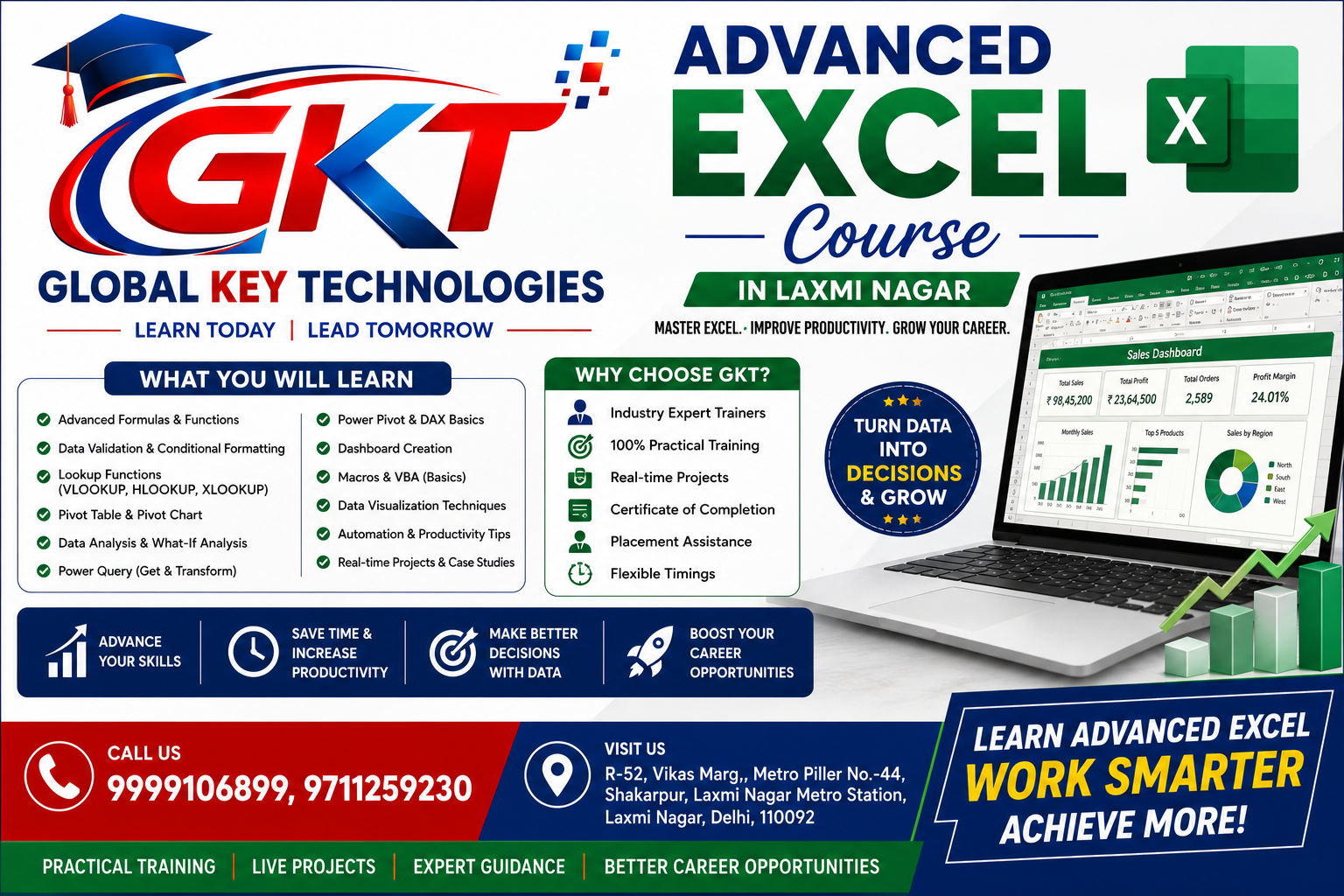
in today’s competitive professional environment, Excel is no longer limited to creating simple tables, entering data, or preparing basic reports. Businesses across different industries use Microsoft Excel for data analysis, financial calculations, reporting, business planning, dashboards, MIS reporting, and decision-making. If you want to build practical computer skills that can help you in academics, office work, business, or your career, learning advanced Excel can be a valuable step.
Advanced Excel Course in Laxmi Nagar
Global Key Technologies offers an industry-oriented Advanced Excel Course in Laxmi Nagar designed for students, working professionals, freshers, business owners, and anyone who wants to improve their Excel skills. The course focuses on practical learning so that learners can understand Excel tools and apply them to real-world tasks.
With the growing use of Artificial Intelligence in office productivity, Excel is also becoming more powerful. That is why learning an Advanced Excel with AI Course in Laxmi Nagar can help learners understand both advanced spreadsheet techniques and modern AI-assisted productivity methods.
Microsoft Excel is one of the most widely used spreadsheet applications in offices and organizations. It is commonly used for maintaining records, analyzing information, preparing reports, managing business data, creating budgets, calculating salaries, tracking sales, and much more.
Basic Excel knowledge can help you perform simple tasks, but advanced Excel skills can help you work with large datasets, automate repetitive activities, create interactive reports, and analyze information more efficiently.
An Advanced Excel Course in Laxmi Nagar can help you develop skills such as:
These skills can be useful in roles related to administration, finance, sales, marketing, operations, MIS, accounting, data management, and business analysis.
Advanced Excel Course in Laxmi Nagar
Choosing the right training program is important because Excel is a practical software skill. Watching tutorials may help you understand individual features, but structured classroom training can help you learn how different tools work together.
At Global Key Technologies, the Advanced Excel Course in Laxmi Nagar is designed with practical applications in mind. Learners can work on examples and exercises that represent common office requirements.
Advanced Excel Course in Laxmi Nagar
The training can help students understand Excel from an intermediate to advanced level instead of focusing only on basic spreadsheet operations.
The objective is to help learners become more confident while working with Excel files, datasets, reports, formulas, and business information.
Artificial Intelligence is changing the way people work with digital tools. Modern professionals are increasingly using AI to improve productivity, generate ideas, understand data, automate repetitive tasks, and work more efficiently.
An Advanced Excel with AI Course in Laxmi Nagar combines advanced Excel concepts with modern AI-based productivity approaches.
Learners can understand how AI can support tasks such as:
AI should be considered a productivity assistant rather than a replacement for Excel knowledge. Understanding Excel fundamentals and advanced functions remains important because professionals need to verify results and understand the data they are working with.
Advanced Excel Course in Laxmi Nagar
Practical training can make a major difference when learning Excel. The Advanced Excel Training in Laxmi Nagar at Global Key Technologies can be useful for learners who want to improve their practical spreadsheet skills.
Advanced Excel Course in Laxmi Nagar
Instead of learning features independently, students can gradually understand how different Excel tools can be used together.
For example, a business dataset may require data cleaning before analysis. After cleaning the information, you may use formulas, Pivot Tables, charts, and dashboards to turn the raw data into a meaningful report.
Advanced Excel Course in Laxmi Nagar
This type of workflow is important in many professional environments.
A structured Advanced Excel program can cover a wide range of topics.
Formulas are one of the most important parts of Excel. Advanced Excel training can help learners understand how to create and use formulas for different business requirements.
Important concepts can include:
Understanding these functions can help users reduce manual calculations and create dynamic spreadsheets.
Advanced Excel Course in Laxmi Nagar
Lookup functions are frequently used when working with multiple datasets.
For example, a sales report may contain employee IDs while another table contains employee names and departments. Lookup functions can help connect relevant information between datasets.
Advanced Excel Course in Laxmi Nagar
Students can learn different lookup approaches and understand when to use functions such as XLOOKUP, VLOOKUP, INDEX, and MATCH.
Pivot Tables are among the most useful Excel tools for data analysis.
A large dataset can contain hundreds or thousands of records. Manually calculating totals from such information can be time-consuming.
Pivot Tables can help summarize data based on different categories.
For example, you can analyze:
Learning Pivot Tables can significantly improve reporting efficiency.
Charts can make reports easier to understand. Pivot Charts can be connected with Pivot Tables to visually represent summarized information.
Learners can understand how to create charts for different types of reports and select suitable visualizations based on the data.
Advanced Excel Course in Laxmi Nagar
Raw data is often not ready for analysis.
It may contain:
Advanced Excel training can help learners understand techniques for cleaning and organizing datasets before analysis.
Conditional Formatting can help highlight important information automatically.
For example, you can highlight:
This can make spreadsheets easier to review.
Data Validation helps control the type of information entered into a spreadsheet.
For example, a dropdown list can be created for departments such as:
This can help maintain consistency in data entry.
Dashboards are useful for presenting important information in a simple and visual format.
An Excel dashboard can include:
A well-designed dashboard can help managers and teams understand business performance more quickly.
Advanced Excel Course in Laxmi Nagar
MIS reporting is one area where advanced Excel skills can be particularly useful.
MIS professionals often work with large amounts of information and prepare reports for management.
Advanced Excel can help with:
Learning advanced Excel can therefore be useful for learners interested in MIS and reporting-related responsibilities.
Advanced Excel Course in Laxmi Nagar
Data analysis involves converting raw information into meaningful insights.
Excel provides several tools that can support this process.
Learners can use formulas, Pivot Tables, charts, filters, and other features to identify trends and summarize information.
For example, a sales dataset can be analyzed to determine:
These types of analyses can support better business decisions.
AI is becoming an important part of modern digital workflows. Learning how to use AI alongside Excel can help professionals explore more efficient ways of completing tasks.
An Advanced Excel with AI Course in Laxmi Nagar can introduce learners to AI-assisted approaches for Excel productivity.
AI can potentially help users understand unfamiliar formulas, explain spreadsheet logic, suggest approaches, and assist with data-related tasks.
However, users should always review AI-generated formulas or suggestions before applying them to important business data.
The combination of Excel expertise and AI awareness can be useful for professionals who want to keep their digital skills updated.
Advanced Excel Course in Laxmi Nagar
The course can be suitable for a wide range of learners.
Students can learn Excel to develop practical computer skills that can support academic projects, internships, and future employment.
Freshers can improve their resumes by developing practical spreadsheet and reporting skills.
Professionals who already use Excel can learn advanced functions and reporting techniques to improve their workplace productivity.
Excel is frequently used for calculations, reports, financial records, and data management. Advanced Excel can complement accounting-related skills.
MIS-related roles often require reporting, data organization, and analysis skills. Advanced Excel training can be particularly relevant for these responsibilities.
Business owners can use Excel to track sales, expenses, inventory, customers, and business performance.
Freelancers can use Excel for client reporting, data organization, project tracking, and business administration.
Learning advanced Excel can provide several practical benefits.
Advanced formulas, Pivot Tables, shortcuts, and structured workflows can reduce repetitive manual work.
Excel dashboards and visual reports can make information easier to understand.
Advanced Excel skills can help you organize and analyze larger datasets more effectively.
Excel is a common workplace skill, and advanced knowledge can be useful for several office and analytical roles.
Combining Excel with AI concepts can help learners understand modern approaches to digital productivity.
A practical approach can make Excel training more effective.
Learners can work on scenarios such as:
Working on such examples can help students understand how Excel features are used in real situations.
Global Key Technologies provides computer and professional training programs for learners who want to build practical technology skills.
The institute offers training in areas such as Excel, data science, digital marketing, graphic design, programming, web designing, Tally, and other computer-related programs.
For learners looking for an Advanced Excel Course in Laxmi Nagar, a structured learning environment can make it easier to understand Excel concepts step by step.
The goal of the training is to help learners develop practical skills that they can apply to academic projects, office work, business activities, and professional responsibilities.
Excel is used across many departments and industries. While job requirements vary from company to company, advanced spreadsheet knowledge can complement skills in several areas.
Some areas where Excel skills can be relevant include:
Learning Excel does not guarantee a particular job or salary, but developing strong practical skills can improve your ability to handle spreadsheet-based tasks.
Laxmi Nagar is a popular education and commercial area in East Delhi. Students and working professionals can find various training opportunities in the area.
If you are searching for an Advanced Excel Course in Laxmi Nagar, consider factors such as practical training, course syllabus, trainer experience, hands-on exercises, learning support, and the relevance of the curriculum to your goals.
A good training program should help you understand not only individual Excel functions but also how to apply them to complete real-world tasks.
The workplace is becoming increasingly technology-driven. Professionals are expected to understand digital tools and adapt to new technologies.
Excel remains an important productivity tool, while AI is becoming increasingly common across professional workflows.
Learning both can give students an opportunity to develop a broader understanding of modern office productivity.
An Advanced Excel with AI Course in Laxmi Nagar can therefore be considered by students and professionals who want to learn traditional spreadsheet skills along with modern AI-assisted approaches.
An Advanced Excel Course teaches learners advanced spreadsheet functions and tools such as formulas, lookup functions, Pivot Tables, dashboards, data analysis, charts, and data management techniques.
Advanced Excel can be useful for many office roles involving reporting, data management, calculations, and analysis. However, specific job requirements depend on the employer and role.
Advanced Excel with AI combines advanced Excel skills with AI-assisted productivity techniques. It can help learners explore how AI can support formula understanding, data-related tasks, reporting workflows, and productivity.
Students, freshers, working professionals, accountants, MIS aspirants, business owners, and anyone who regularly works with spreadsheets can consider learning Advanced Excel.
Advanced Excel may initially seem complex because it includes many functions and tools. With structured practice and hands-on exercises, learners can gradually become more comfortable with advanced features.
Important topics can include advanced formulas, lookup functions, Pivot Tables, Pivot Charts, conditional formatting, data validation, dashboards, data cleaning, data analysis, Power Query, and AI-assisted productivity.
Choosing Advanced Excel Training in Laxmi Nagar can be convenient for learners who live, study, or work in and around the area. The important thing is to select training that matches your learning objectives and provides practical exposure.
Whether you are a student looking to develop professional skills, a fresher preparing for the workplace, or a working professional who wants to improve productivity, Advanced Excel can be a valuable addition to your skill set.
With advanced formulas, Pivot Tables, dashboards, data analysis, reporting techniques, and AI-assisted productivity methods, Excel can become much more than a basic spreadsheet application.
If you are looking for an Advanced Excel Course in Laxmi Nagar, Global Key Technologies can be considered for structured and practical computer training.
For learners interested in modern Excel skills, the Advanced Excel with AI Course in Laxmi Nagar can provide an opportunity to explore advanced spreadsheet techniques along with AI-based productivity concepts.
And for those searching for practical Advanced Excel Training in Laxmi Nagar, the focus should be on learning concepts through exercises, examples, and real-world applications.
Build your Excel skills, practice regularly, understand how data works, and keep upgrading your digital knowledge to stay prepared for the modern workplace.
Learning Excel at an advanced level can help students and professionals handle data more efficiently. Today, companies use spreadsheets for reporting, calculations, business analysis, employee records, sales tracking, financial planning, inventory management, and many other daily activities.
Advanced Excel Course in Laxmi Nagar
If you are searching for an Advanced Excel Course in Laxmi Nagar, it is important to choose a course that goes beyond basic formulas and spreadsheet formatting. Advanced training should focus on practical applications, data analysis, reporting, dashboards, automation concepts, and modern productivity tools.
At Global Key Technologies, learners can explore advanced Excel concepts with practical examples and exercises. The objective is to help learners become more confident while working with professional Excel files and business data.
Artificial Intelligence is becoming an important part of modern workplace productivity. Professionals are increasingly using AI tools to understand information, generate ideas, improve workflows, and reduce repetitive work.
An Advanced Excel with AI Course in Laxmi Nagar can help learners understand how advanced spreadsheet skills can be combined with AI-assisted productivity.
AI can be useful for understanding formulas, generating formula ideas, explaining Excel functions, identifying possible approaches to data analysis, and improving productivity. However, users should always check AI-generated results before using them for important business or financial work.
Learning Excel first and then understanding how AI can assist with Excel tasks can create a more practical learning approach.
Advanced Excel Course in Laxmi Nagar
A good Advanced Excel Training in Laxmi Nagar should include both concepts and practical exercises.
The syllabus can cover:
Learners can understand functions such as:
These functions can be used to create dynamic calculations and reduce manual work.
Lookup functions are important when working with multiple tables or datasets.
For example, an employee database may contain employee IDs, while another sheet contains employee departments and salary information. Lookup functions can help retrieve the required information based on a common value.
Understanding different lookup methods can help learners select the appropriate function for different situations.
Pivot Tables are one of the most powerful features available in Excel for summarizing data.
Instead of manually calculating totals from a large dataset, users can create a Pivot Table to quickly analyze information.
For example, a sales dataset can be summarized by:
Pivot Tables can also be combined with Pivot Charts and filters to create more interactive reports.
An Excel dashboard can bring important information together in one place.
A professional dashboard may include:
Dashboard skills can be useful for learners interested in MIS reporting, sales reporting, business analysis, and management reporting.
The purpose of a dashboard is not simply to make a spreadsheet look attractive. It should make important information easier to understand and review.
Advanced Excel Course in Laxmi Nagar
Before analyzing data, it is often necessary to clean and organize it.
Raw datasets may contain duplicate entries, unnecessary spaces, inconsistent formats, missing information, or incorrectly entered values.
Advanced Excel training can help learners understand techniques for:
Clean data can make subsequent analysis more reliable and easier to manage.
Power Query is another useful Excel feature for working with data.
It can help users import, transform, clean, and prepare information from different sources.
Learners can understand concepts such as:
These skills can be useful when working with recurring reports where the same type of data needs to be processed regularly.
Conditional Formatting allows users to automatically highlight specific information based on defined conditions.
For example, a company may use conditional formatting to highlight:
This makes large spreadsheets easier to review and understand.
Data Validation can help maintain consistency when entering information.
For example, instead of allowing employees to type a department name manually, a dropdown list can provide predefined options such as:
This can reduce inconsistent data entry and make spreadsheets easier to manage.
Advanced Excel is commonly associated with MIS and reporting tasks.
MIS professionals may need to prepare daily, weekly, and monthly reports using information collected from different sources.
Excel can be used for:
Learning advanced Excel can therefore be useful for students interested in reporting-oriented roles.
Excel is also widely used in accounting and financial activities.
Advanced Excel skills can support tasks involving:
For accounting professionals and students, Excel can complement other accounting software and skills.
Sales teams often work with customer records, targets, revenue data, and performance reports.
Excel can help organize and analyze:
Marketing teams can also use Excel to organize campaign information and analyze performance data.
AI can assist users in learning and working with Excel in several ways.
For example, a learner who does not understand a formula can use an AI assistant to request an explanation. AI can also help users think through possible spreadsheet approaches or explain why a particular formula may not be working.
However, AI-generated output should not be accepted blindly. Users should understand the formula, verify the data, and check the final result.
That is why the combination of Advanced Excel with AI Course in Laxmi Nagar and practical Excel training can be useful for learners who want to understand both the software and modern AI-assisted workflows.
Advanced Excel Course in Laxmi Nagar
Practical projects can help learners understand how Excel is used outside the classroom.
Some examples include:
Create a sales dashboard containing monthly sales, employee performance, product-wise sales, and target achievement.
Create an employee database containing employee information, department, joining date, salary, attendance, and performance details.
Create a monthly expense management spreadsheet with categories, totals, comparisons, and charts.
Create an inventory sheet for tracking products, quantities, stock levels, and reorder requirements.
Create an attendance system using formulas, conditional formatting, and summary reports.
Working on projects like these can help learners connect Excel concepts with practical business requirements.
An Advanced Excel Course in Laxmi Nagar can be useful for:
Students: To develop practical computer and spreadsheet skills.
Freshers: To build workplace-ready skills before starting a professional career.
Working Professionals: To improve productivity and reporting capabilities.
MIS Aspirants: To learn reporting, analysis, dashboards, and data management.
Accountants: To strengthen spreadsheet-based accounting and reporting skills.
Business Owners: To manage business data, sales, expenses, and inventory.
Job Seekers: To add an important office productivity skill to their professional profile.
Advanced Excel tools can help users organize large amounts of information more effectively.
Functions, Pivot Tables, and Power Query can reduce repetitive manual reporting tasks.
Charts, dashboards, and summarized data can make business information easier to understand.
Knowing shortcuts, formulas, and advanced tools can help users complete spreadsheet tasks more efficiently.
Understanding AI-assisted Excel workflows can help learners become familiar with modern productivity methods.
Global Key Technologies provides computer and professional training programs for students, freshers, and working professionals.
Learners looking for an Advanced Excel Course in Laxmi Nagar can explore a practical learning environment where Excel concepts can be understood through examples and exercises.
The institute also provides training in different technology and professional skill areas, including Data Science, Digital Marketing, Graphic Design, Web Designing, Tally, Programming, and other computer-related courses.
The focus is on helping learners develop practical knowledge that can be applied to academic, professional, and business requirements.
Advanced Excel Course in Laxmi Nagar
The right course depends on your learning requirements. Look for a program that covers advanced formulas, Pivot Tables, dashboards, data analysis, data cleaning, Power Query, and practical projects.
Advanced Excel with AI refers to learning advanced Excel features along with AI-assisted approaches that can support productivity, formula understanding, data analysis, and spreadsheet-related tasks.
Yes. Advanced Excel can be useful for freshers applying for roles involving office administration, MIS, reporting, sales, finance, operations, and data management.
Yes. Students can learn Advanced Excel to develop practical spreadsheet skills that can be useful for projects, internships, office work, and future career opportunities.
Depending on the institute and syllabus, training can include advanced formulas, lookup functions, Pivot Tables, charts, dashboards, data cleaning, conditional formatting, Power Query, reporting, and AI-assisted Excel productivity.
The difficulty depends on your existing Excel knowledge. Learning basic Excel concepts first and then progressing toward advanced features and AI-assisted workflows can make the learning process easier.
Advanced Excel Course in Laxmi Nagar
Advanced Excel is relevant to many MIS and reporting responsibilities because these roles can involve data organization, calculations, reporting, dashboards, and analysis. Job requirements vary by company.
Excel continues to be an important workplace productivity tool. From simple calculations to advanced dashboards and data analysis, it can support a wide range of professional activities.
If you are looking for an Advanced Excel Course in Laxmi Nagar, focus on practical training and a syllabus that covers the tools you actually want to use.
For learners interested in modern productivity, an Advanced Excel with AI Course in Laxmi Nagar can provide an opportunity to understand how AI-assisted techniques can complement traditional Excel skills.
If your goal is practical skill development, Advanced Excel Training in Laxmi Nagar can help you learn formulas, reporting, dashboards, data analysis, and other useful Excel capabilities through structured learning and practice.
Start learning, practice with real-world datasets, build Excel projects, and continue upgrading your digital skills for the modern workplace.
Global Key Technologies can be your learning destination for Advanced Excel and other professional computer courses in Laxmi Nagar, Delhi.
Advanced Excel Course in Laxmi Nagar
Your enquiry for "Course" has been submitted successfully.
Our expert will contact you shortly.
🚀 Need instant help?
Chat with us now on WhatsApp and get quick assistance from our team.
📞 Call / WhatsApp: +91 9999106899