
In today’s technology-driven business environment, data plays an important role in almost every organization. Companies generate data through sales, customers, marketing campaigns, websites, financial transactions, employees, operations, and many other activities. However, raw data by itself is not enough. Businesses need skilled professionals who can organize, clean, analyze, visualize, and interpret data to support better decisions.
This is where data analysis becomes important. If you are searching for a Data Analysis Course Laxmi Nagar, learning the right combination of analytical tools and practical skills can help you build a strong foundation for a career in data analytics, reporting, business intelligence, and related fields.
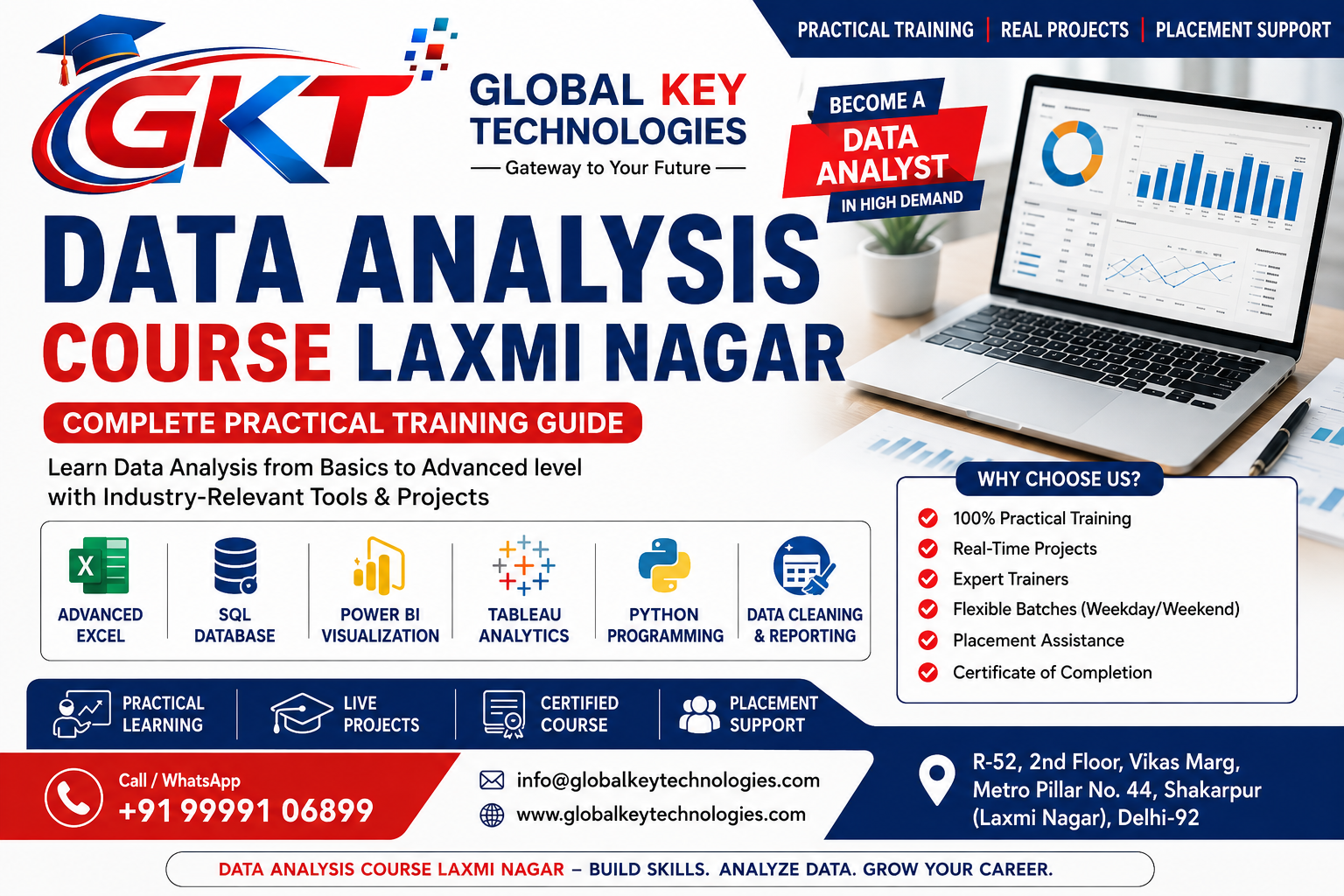
Global Key Technologies is a computer and IT training institute located in the Laxmi Nagar area of Delhi. The institute offers Data Analytics training covering tools and concepts such as Advanced Excel, SQL, Power BI, Tableau, Python, data cleaning, data visualization, reporting, and practical projects.
The aim of a practical Data Analysis Course Laxmi Nagar is not simply to teach software. Students should understand how to take raw information, analyze it systematically, identify useful patterns, and present meaningful insights.
Data Analysis Course Laxmi Nagar
Data analysis is the process of examining, cleaning, transforming, and interpreting data to discover useful information.
For example, imagine a retail company has thousands of sales records. The company may want to know:
A data analyst uses analytical methods and tools to answer such questions.
The process can involve several stages:
Data Collection → Data Cleaning → Data Analysis → Data Visualization → Insights → Reporting → Decision-Making
This is why a practical Data Analysis Course Laxmi Nagar should teach students the complete workflow instead of focusing on only one software tool.
Data Analysis Course Laxmi Nagar
Laxmi Nagar is a popular education and coaching area in East Delhi. Students, graduates, job seekers, and working professionals from nearby areas can access training institutes in and around Laxmi Nagar.
If you are looking for a Data Analysis Course Laxmi Nagar, location can be convenient, but it should not be the only factor when choosing an institute.
Students should also consider:
Global Key Technologies focuses on computer and technology education and provides career-oriented training programs in the Laxmi Nagar area.
Data Analysis Course Laxmi Nagar
Global Key Technologies offers Data Analytics training designed to help learners develop practical skills with commonly used data tools.
The Data Analytics program covers important areas such as:
The official course information currently describes the Data Analytics program as approximately 4–6 months, with online and offline learning options.
For the latest syllabus, fees, batch timings, and admission information, students should directly contact Global Key Technologies because course details can change
Data Analysis Course Laxmi Nagar
Excel is one of the most commonly used tools for business reporting and data analysis.
Many organizations still depend heavily on Excel for managing reports, calculating business metrics, preparing summaries, and analyzing datasets.
A good Data Analysis Course Laxmi Nagar should provide students with more than basic Excel knowledge.
Students can learn:
Suppose a company gives you a spreadsheet containing 20,000 sales records.
The dataset may include:
Manually analyzing thousands of records would be inefficient.
Using Excel, an analyst can create Pivot Tables, apply filters, calculate totals, identify trends, and create visual reports.
This makes Advanced Excel an important starting point for many beginners entering data-related roles.
Data Analysis Course Laxmi Nagar
SQL, or Structured Query Language, is another important skill for data analysts.
Companies often store information inside databases. Analysts may need to retrieve specific information from these databases before performing further analysis.
A Data Analysis Course Laxmi Nagar can introduce students to SQL concepts such as:
For example, an e-commerce company might have separate tables for customers, orders, products, and payments.
An analyst may need to determine:
SQL can help retrieve and combine the required information efficiently.
Data Analysis Course Laxmi Nagar
Data analysis does not end after calculations are completed. Analysts also need to present information in a way that managers and business teams can understand.
Power BI is a business intelligence and data visualization tool that can be used to create interactive reports and dashboards.
A practical Data Analysis Course Laxmi Nagar can teach students how to:
A sales dashboard may include:
Total Revenue
Total Orders
Total Customers
Monthly Sales
Top Products
Sales by City
Sales by Category
Revenue Trends
Instead of presenting thousands of rows in a spreadsheet, the dashboard provides a visual summary of important business information.
Data Analysis Course Laxmi Nagar
Tableau is another popular data visualization and business intelligence platform.
Students can learn how to convert datasets into charts, graphs, reports, and interactive dashboards.
Tableau can be used for:
Learning multiple visualization tools can help students understand different approaches to presenting data.
Python is widely used in technology, automation, data analytics, artificial intelligence, and data science.
For data analysis, Python can be used for:
Beginners do not need to become advanced programmers immediately.
A structured learning approach can start with basic Python concepts and gradually introduce data-related programming.
Students can learn:
Python can then be introduced into practical data projects.
Data Analysis Course Laxmi Nagar
Data cleaning is one of the most important parts of data analysis.
Real-world data is rarely perfect.
Datasets can contain:
Before creating a report, an analyst needs to identify and resolve these issues.
For example, one dataset may contain:
Delhi
delhi
DELHI
These values may represent the same location but could be treated as separate categories if the data is not standardized.
Learning data cleaning helps students understand the importance of data quality.
Data Analysis Course Laxmi Nagar
Data visualization means representing information through visual formats such as charts, graphs, tables, and dashboards.
Common visualizations include:
Different charts are useful for different purposes.
A line chart can help show changes over time.
A bar chart can help compare categories.
A dashboard can combine several metrics into one interactive report.
A good analyst should therefore understand not only how to create a chart but also which chart is appropriate for a particular business question.
Projects are an important part of learning data analysis.
A student may understand Excel, SQL, Power BI, and Python individually, but projects help bring these skills together.
Global Key Technologies emphasizes practical assignments, lab work, mini-projects, and project-oriented learning as part of its training approach.
Students can work with a sales dataset containing:
The project can involve:
An e-commerce project can include:
Students can analyze product performance, customer activity, revenue trends, and order patterns.
Marketing data can include:
Students can analyze which campaigns perform better and how marketing metrics change over time.
Customer datasets can be used to study:
This can help learners understand how data is used to support customer-related decisions.
A project helps students understand the complete analytical process.
For example:
Raw Dataset
↓
Data Cleaning
↓
Data Transformation
↓
Analysis
↓
Visualization
↓
Dashboard
↓
Business Insights
This is closer to how data is used in practical business environments.
Therefore, when comparing options for a Data Analysis Course Laxmi Nagar, students should ask what type of projects they will complete during the course.
Data Analysis Course Laxmi Nagar
A Data Analysis Course Laxmi Nagar can be suitable for different categories of learners.
Students interested in technology, business, finance, management, or analytics can begin learning data-related skills.
Graduates can develop technical skills alongside their academic qualifications.
Freshers can use practical projects to develop a portfolio and prepare for entry-level opportunities.
Professionals working in MIS, accounts, finance, operations, sales, administration, and marketing can learn analytics tools to improve their reporting and analytical capabilities.
MIS professionals often work with Excel reports. Learning SQL and Power BI can help them expand their reporting capabilities.
Digital marketers work with campaign data, website traffic, leads, conversions, and customer behavior. Data analysis can help them understand marketing performance more effectively.
Professionals interested in moving toward analytics can use structured training to develop relevant skills.
This is one of the most common questions beginners ask.
Not every data analysis task requires advanced programming.
Excel and visualization tools can be used for many reporting and analytical tasks.
However, learning SQL and Python can expand a learner’s capabilities.
A beginner-friendly learning path can be:
Excel → SQL → Power BI/Tableau → Python → Projects
Students can gradually build their skills rather than trying to master every technology simultaneously.
Data analysis skills can be relevant to different job roles.
Depending on educational background, practical skills, experience, and employer requirements, learners may explore roles such as:
The exact responsibilities vary from company to company.
Students should focus on developing genuine practical skills rather than relying only on a course certificate.
Data Analysis Course Laxmi Nagar
A successful data analyst generally needs a combination of technical and analytical skills.
Important skills include:
An analyst may need to explain findings to people who are not technical experts.
Therefore, students should also practice explaining their dashboards, reports, and conclusions in simple language.
After completing a Data Analysis Course Laxmi Nagar, students should prepare for interviews.
Interview questions can cover:
Students should also be prepared to explain their projects.
A simple project explanation can follow this structure:
1. Objective
What problem were you trying to solve?
2. Dataset
What type of information did you use?
3. Cleaning
What problems did you find in the dataset?
4. Tools
Which tools did you use?
5. Analysis
What calculations or queries did you perform?
6. Visualization
How did you present the findings?
7. Insights
What did you learn from the data?
This structure makes project explanations easier and more organized.
When preparing a resume, students should clearly mention the tools they have actually learned and practiced.
Relevant skills can include:
Projects should also be included.
For example:
Sales Performance Dashboard – Power BI
Created an interactive sales dashboard to analyze revenue, monthly performance, product categories, and regional sales using a structured dataset.
This gives recruiters a clearer idea of practical capabilities.
Data Analysis Course Laxmi Nagar
The time required depends on a student’s background, learning speed, practice schedule, and course structure.
Global Key Technologies currently lists its Data Analytics program with an approximate duration of 4–6 months.
Students should also spend time practicing outside classroom sessions.
A useful routine can be:
Class Learning + Assignment + Self Practice + Project Work + Revision + Interview Preparation
Consistency is important when developing technical skills.
Students can choose between online and classroom training based on their requirements.
Classroom learning may provide:
Online learning may provide:
Global Key Technologies provides both online and offline learning options for its Data Analytics training.
Students can discuss the available batch timings and learning mode with the institute before admission.
Data Analysis Course Laxmi Nagar
Global Key Technologies is a computer and IT training institute in the Laxmi Nagar area offering multiple technology and career-oriented courses.
For students searching for a Data Analysis Course Laxmi Nagar, the institute provides training in major analytics tools and concepts.
The Data Analytics program includes areas such as:
The institute also highlights practical learning, assignments, lab work, mini-projects, career guidance, and interview support across its training approach.
Students can visit the institute or contact the team to understand the current course structure, batch timings, fees, demo class, and admission process.
Before enrolling, students should compare institutes carefully.
Make sure the syllabus includes relevant tools and concepts.
Find out whether students work with datasets and projects.
Ask how doubts and assignments are handled.
Find out whether students complete individual or group projects.
Confirm the latest duration before admission.
Choose a schedule compatible with your college, job, or other responsibilities.
Confirm whether classroom, online, or hybrid learning is available.
Understand what kind of resume and interview guidance is provided.
If a demo class is available, attending one can help you understand the teaching approach.
Fees, offers, and batch details can change, so confirm the current information directly with the institute.
If you are searching for a Data Analysis Course Laxmi Nagar, you can contact Global Key Technologies for current course information.
Institute: Global Key Technologies
Address: R-52, 2nd Floor, Vikas Marg, Metro Pillar No. 44, Shakarpur (Laxmi Nagar), Delhi-92
Phone / WhatsApp: +91 99991 06899
Email: info@globalkeytechnologies.com
Website: www.globalkeytechnologies.com
Location: Laxmi Nagar, Delhi
For the latest information about the Data Analytics course, syllabus, fees, batch timings, demo classes, and admission process, visit the official Global Key Technologies website.
A Data Analysis Course Laxmi Nagar is a training program designed to teach learners how to work with data using tools such as Excel, SQL, Power BI, Tableau, and Python.
Yes. Beginners can start with basic data concepts and gradually learn Excel, SQL, visualization, and Python.
Important tools can include Advanced Excel, SQL, Power BI, Tableau, and Python. The exact syllabus depends on the institute and course.
Yes. Excel remains widely used for spreadsheets, reporting, calculations, data cleaning, Pivot Tables, and business analysis.
Yes. SQL is useful for retrieving and analyzing information stored in databases.
Yes. Power BI is listed among the tools covered in the Data Analytics program.
Yes. Python is included among the technologies listed for the Data Analytics program.
Global Key Technologies emphasizes practical learning, assignments, lab work, and project-based training.
Global Key Technologies currently lists the Data Analytics course duration as approximately 4–6 months. Students should confirm the latest schedule with the institute.
Working professionals can contact the institute to check available morning, evening, weekend, online, and offline batches.
Global Key Technologies is located at:
R-52, 2nd Floor, Vikas Marg, Metro Pillar No. 44, Shakarpur (Laxmi Nagar), Delhi-92.
You can call or WhatsApp at +91 99991 06899 or visit www.globalkeytechnologies.com for course information.
Learning data analysis can help students and professionals develop skills that are useful across many business and technology environments. However, becoming proficient requires more than learning individual software tools.
A complete learning journey should cover:
Data Understanding → Data Cleaning → Excel → SQL → Power BI → Tableau → Python → Data Visualization → Projects → Reporting → Interview Preparation
For learners searching for a Data Analysis Course Laxmi Nagar, Global Key Technologies provides a structured Data Analytics program covering important tools such as Advanced Excel, SQL, Power BI, Tableau, and Python.
Practical assignments and projects can help learners understand how data is transformed from raw information into meaningful reports and dashboards.
Whether you are a student, fresher, graduate, working professional, MIS executive, digital marketing professional, or someone planning a career transition, building strong fundamentals and practicing regularly can help you develop confidence in working with data.
If you are looking for a Data Analysis Course Laxmi Nagar, contact Global Key Technologies to discuss the current syllabus, course duration, fees, batch timings, demo class, projects, and admission process.
Address: R-52, 2nd Floor, Vikas Marg, Metro Pillar No. 44, Shakarpur (Laxmi Nagar), Delhi-92
Call / WhatsApp: +91 99991 06899
Email: info@globalkeytechnologies.com
Website: www.globalkeytechnologies.com
Location: Laxmi Nagar, Delhi
Start your learning journey with the right fundamentals, practice consistently, work on real-world projects, and develop the analytical skills needed to work confidently with business data.
Your enquiry for "Course" has been submitted successfully.
Our expert will contact you shortly.
🚀 Need instant help?
Chat with us now on WhatsApp and get quick assistance from our team.
📞 Call / WhatsApp: +91 9999106899